A drive that no one can read.
Pontile is the document hub of the coastal sector: concessions, technical files, ports, tenders and everything around them. Files, names and comments are encrypted in your browser before they leave it.
Who it is for
For the people who work on the coast every day.
Pick who you are: we show you the part of Pontile you will use most, with a real screen.
Concession holder
Your title, plans and fees in one place.
You share each section only with the people who need it. Fees, inspections and renewals sit in the encrypted deadline list: the email reminder never carries their text.
Deadlines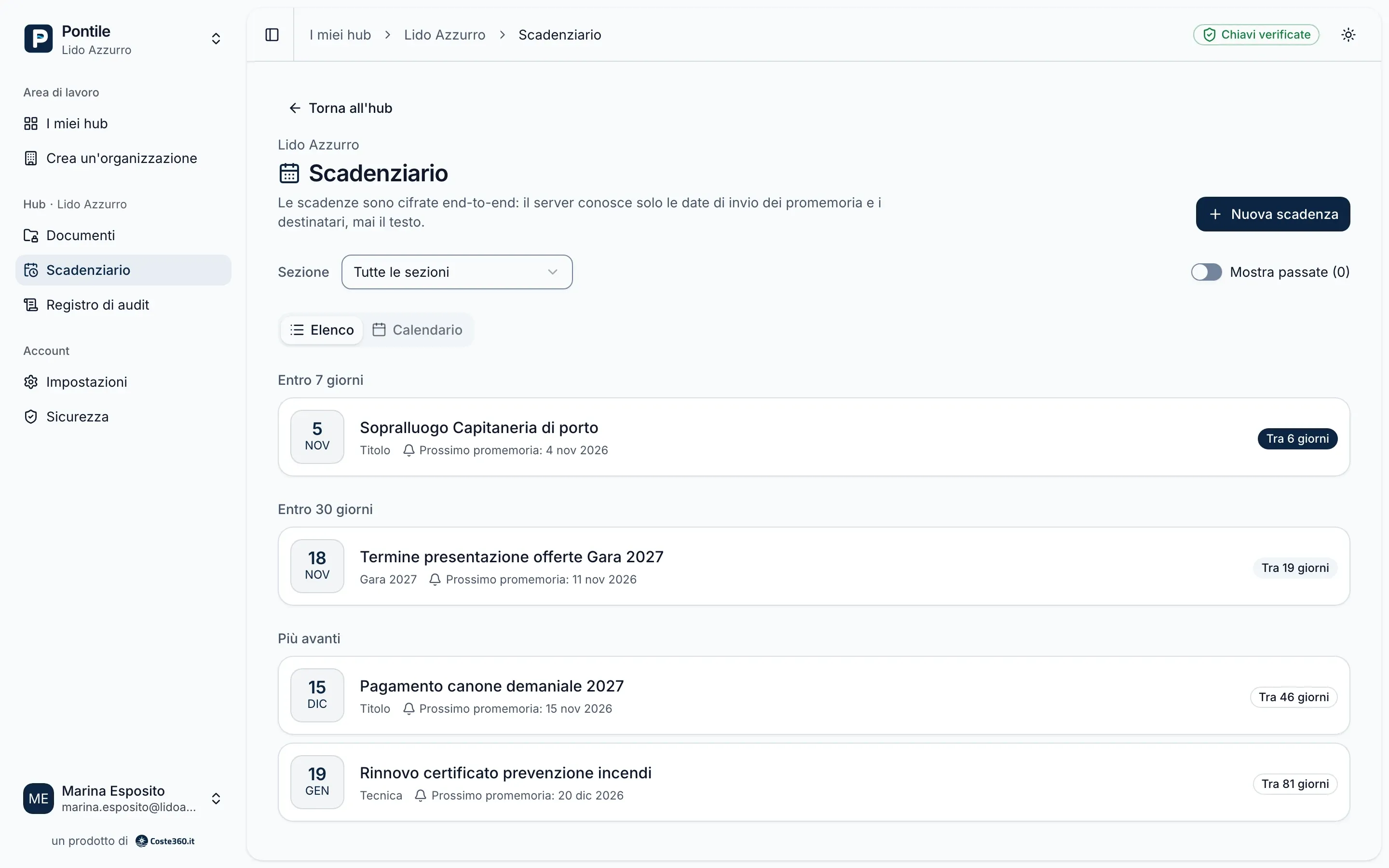
Engineering firm
Dozens of concessions, every document in its place.
For each client, a hub and a list of documents to upload. You approve or reject with a reason, and see who uploaded what and who is still behind.
Pontile for organizations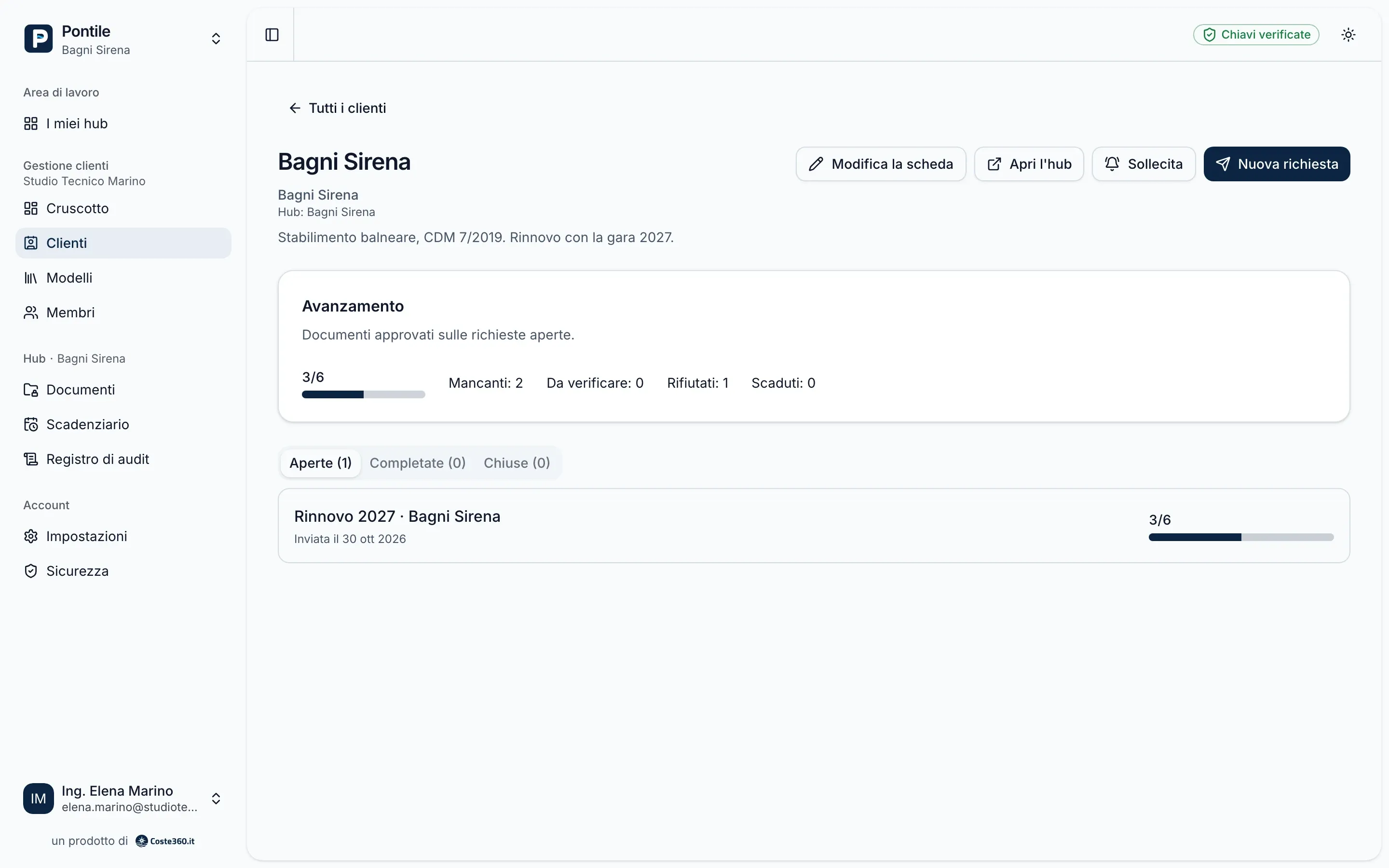
Law firm
The tender, without the technical file.
You work in the Tender section without seeing the technical file, or letting anyone else see it. Before giving you access, whoever invites you compares your key fingerprint with you.
Sections and fingerprints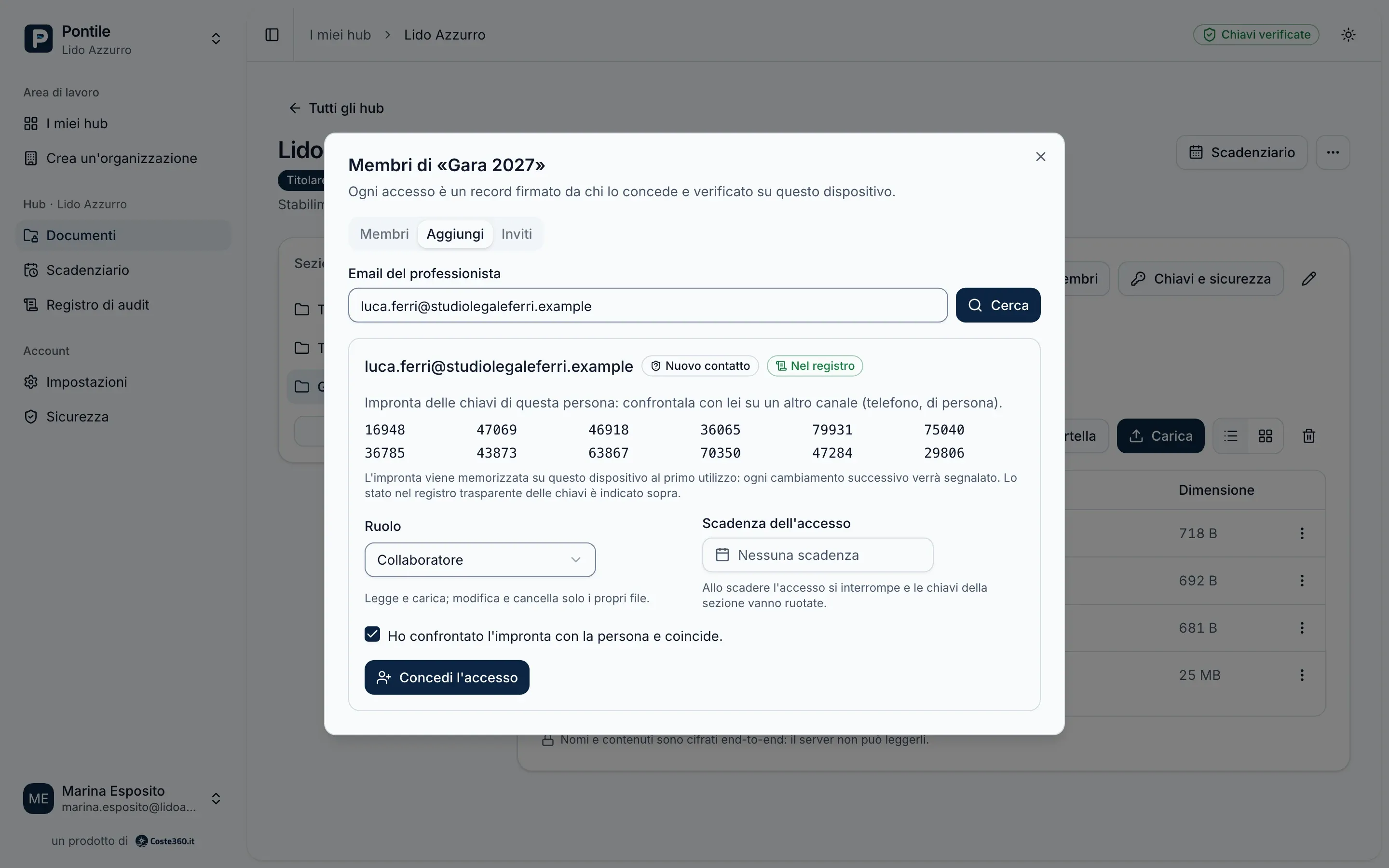
Port operator
Outside consultants, access that really ends.
You exchange permits and designs with consultants and suppliers. When a job ends you remove their access: the section keys change and what you upload afterwards is unreadable to them.
How revocation works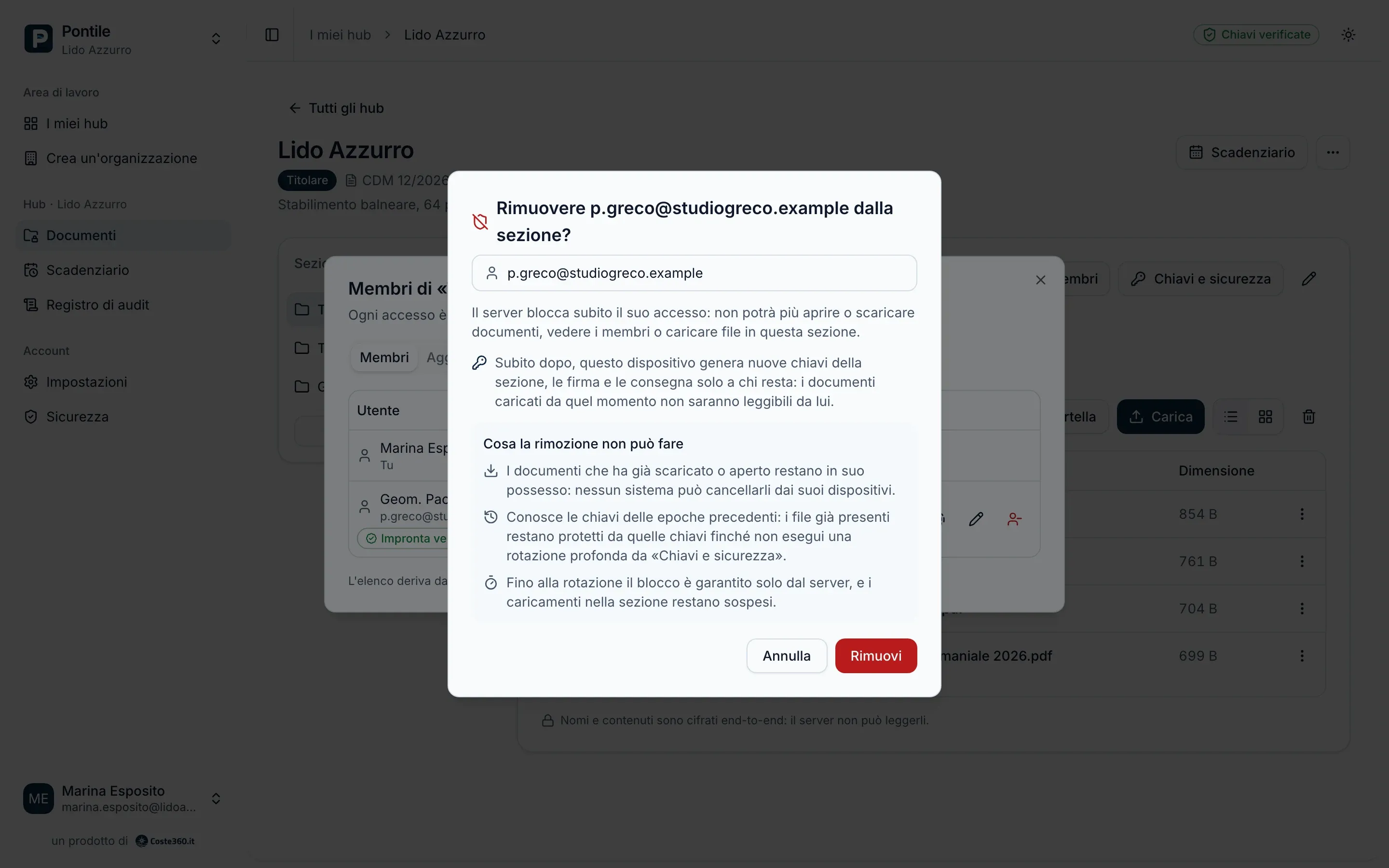
Tender bidder
Your bid stays yours until the deadline.
It is encrypted in your browser while it uploads: not even the host of the files can open it. Only the members of the section you chose can read it.
How encryption works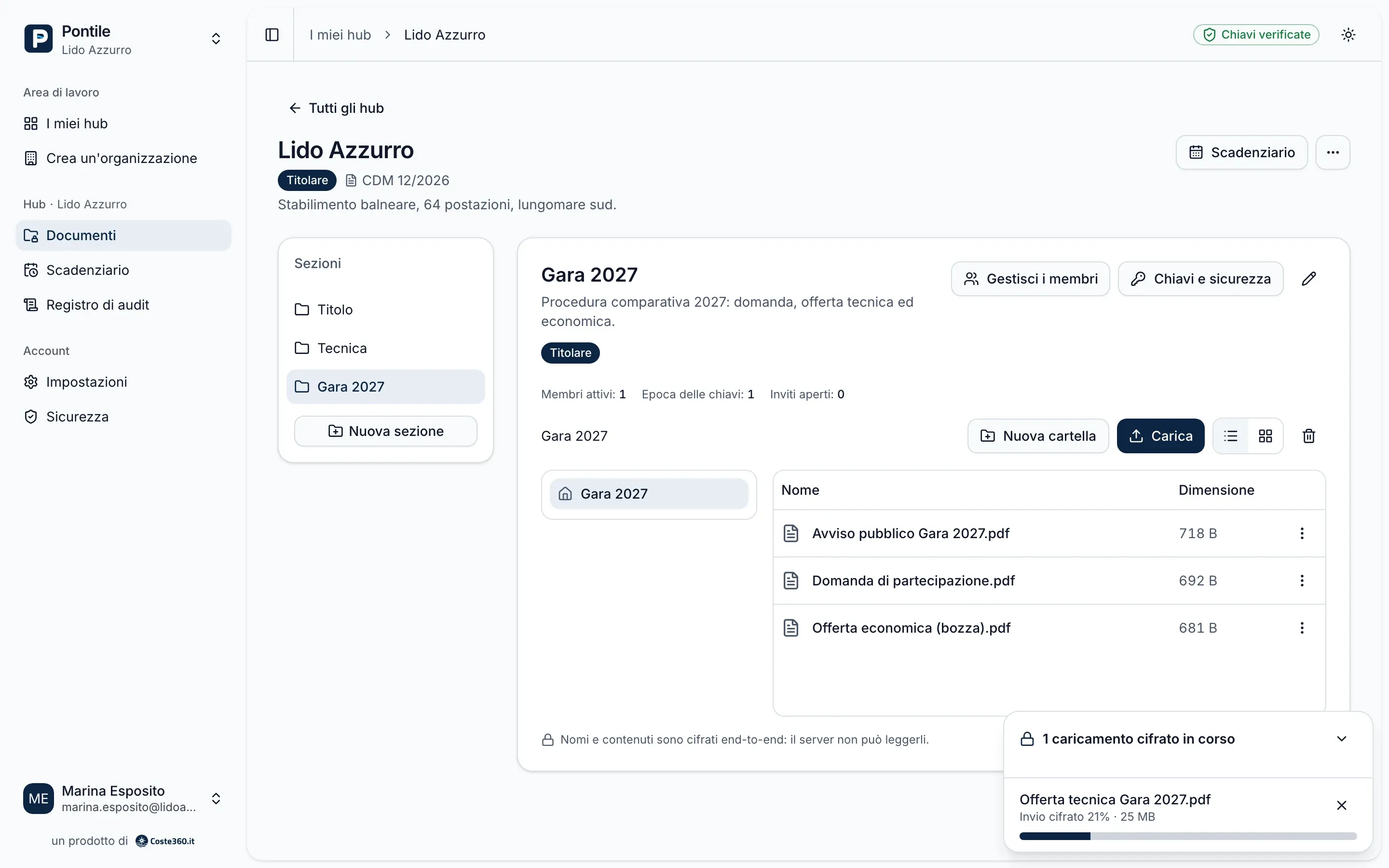
Supplier
You deliver, without seeing the rest.
With the Deposit role you upload certificates and inspection reports to the section you are given, with no way to open the documents, not even your own. You only see the receipts of your deliveries.
The Deposit role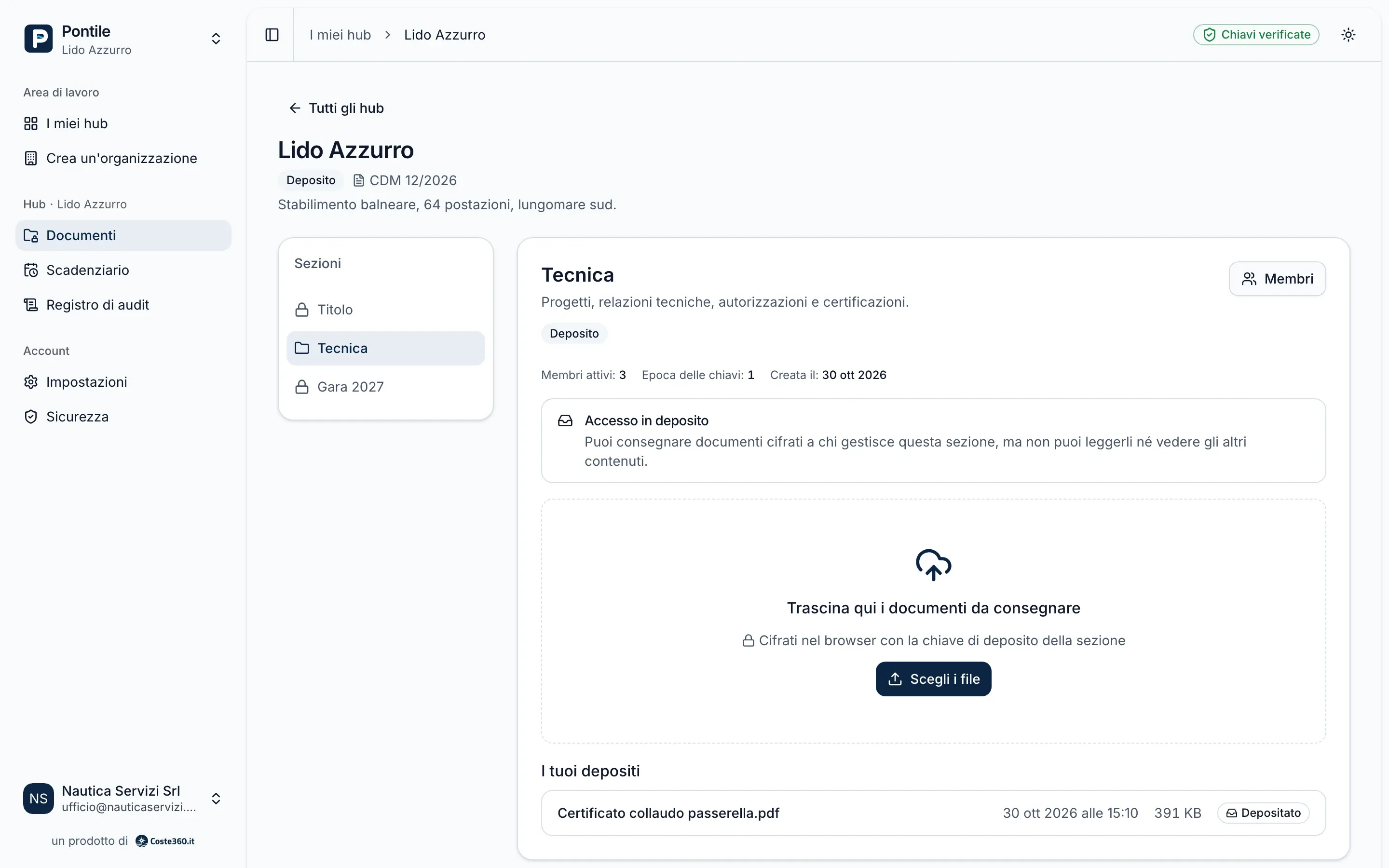
The video
See Pontile at work.
Concession titles, surveys, tender bids: documents that decide who manages a stretch of coast for years, today scattered across email, USB sticks and shared folders. In just over a minute you see them in one place, encrypted.
In development
Pontile is not open to the public yet: there is no launch date and no price list. You can ask for a demo or for early access.
Hubs and sections
One hub per concession, split into sections.
Each concession title has its own hub. Inside, sections such as Title, Technical and Tender have their own keys and members: the tender lawyer cannot read the technical file, the engineer cannot see the financial bid.
Hubs, sections and roles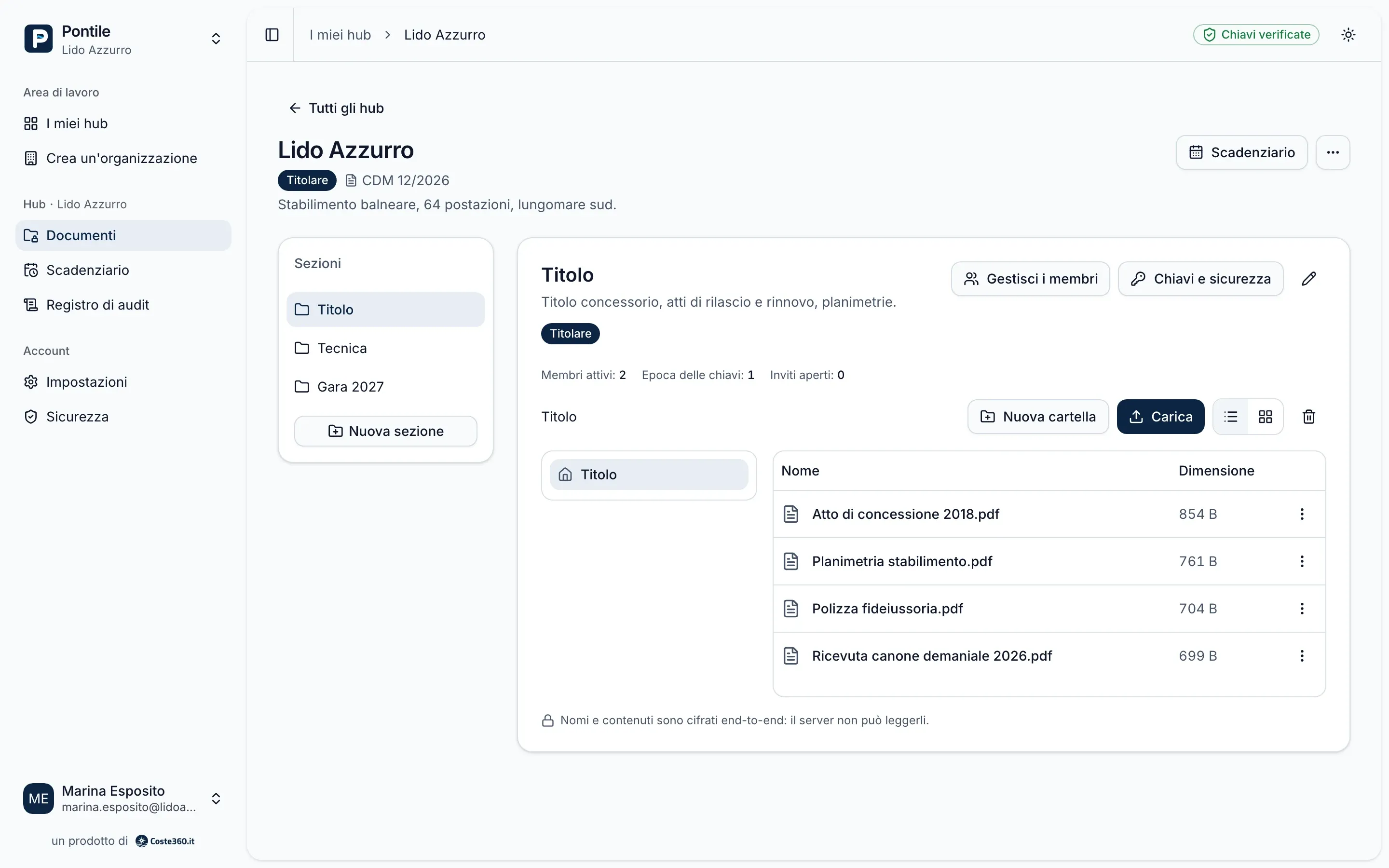
Organizations
For the firm that follows hundreds of concession holders.
From Client management the organization opens a hub for each client, prepares a request template and sends it: the client uploads each document where it belongs, you approve or reject it with a reason and see where everyone stands.
Pontile for organizations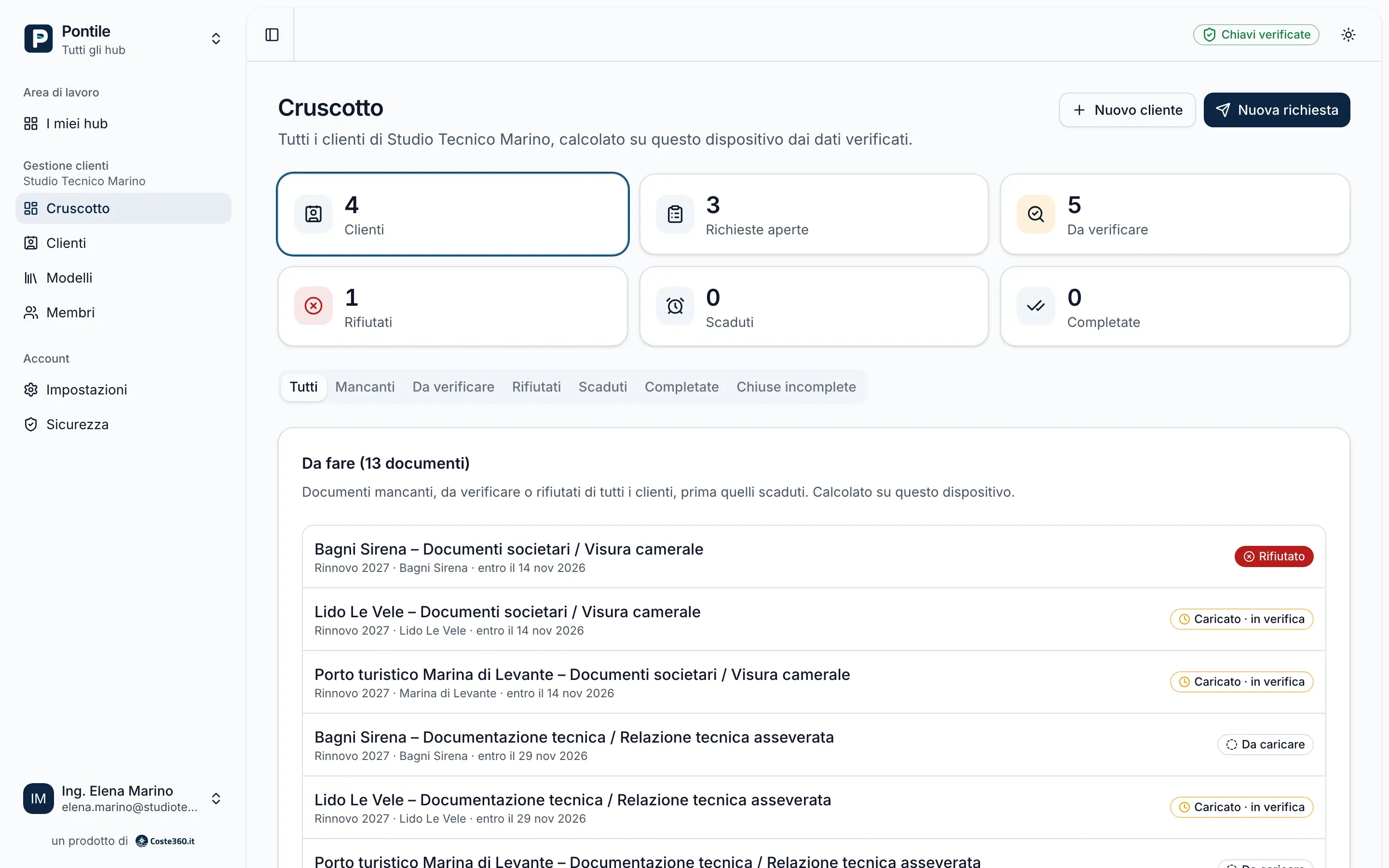
Encryption
How a document stays private.
In plain words: the key to read it never goes through our servers.
- 1
You upload it
Pick the file in your browser, as in any drive.
- 2
It is encrypted on your device
Content and name become unreadable before they leave.
- 3
We store it, encrypted
On servers in Italy, without the keys to open it.
- 4
The people you invited open it
Only the members of that section hold the key.
Everything else
Built for documents that matter.
Comparison
Pontile and a traditional Drive.
We compare Pontile with standard Google Drive: personal accounts and the most common Google Workspace plans. Where Drive does more, we say so.
| Feature | Pontile | Google Drive |
|---|---|---|
| Who can read the documents | Only the people you invite: files, names and comments are encrypted in the browser and the keys stay with the users. | Files are encrypted in transit and on the servers, but Google manages the keys, so it can technically access the content.1 |
| Where the data is | Servers, database, file storage and backups in Italy. | In Google’s data centres; the user does not choose the country where the files are stored.2 |
| Access to parts of a case | Sections with their own keys and members: whoever handles the tender cannot read the technical part. | Sharing by file and folder, with roles such as viewer, commenter and editor: separation relies on server permissions, not on different keys. |
| Delivering without reading | Deposit role: the supplier uploads to the section but cannot open the documents, not even their own. | No sharing role for uploading without seeing the folder; a form with file upload, for example, is used instead. |
| Requesting documents from clients | Request templates, an outcome for each document (Approved or Rejected, with the reason) and progress across all clients. | Not a Drive feature: it is organised with shared folders, email or forms. |
| Editing and search | Preview in the browser, no online editor. The server cannot search inside documents, because they are encrypted. | Built-in editors for documents, spreadsheets and presentations, previews of many formats and search inside file content. Here Drive does more. |
- The Google Workspace Enterprise Plus, Education Standard and Education Plus editions offer client-side encryption, enabled by the administrator with an external key management service. It is not available for personal accounts or the most common plans.
- Google Workspace data regions (for example United States or Europe) are available only in some editions and are set by the administrator.
Comparison based on Google’s public documentation as of October 2026.
Google Drive and Google Workspace are trademarks of Google LLC. Pontile and Coste360 S.R.L. are not affiliated with Google.
The first questions
Can Coste360 read my documents?
No. Documents, file and folder names, comments and the text of deadlines are encrypted in your browser before they reach our servers, and the keys to decrypt them never reach us. How it works
So what does the server see?
What it needs to run the service: email addresses, who is a member of what and with which role, how many files there are and how large, the dates of actions, IP addresses (for no more than 30 days) and the dates of reminders. The full list
What if I lose my password?
You get back in with the recovery key Pontile asks you to save when you create your account. If you lose both the password and the recovery key, the data cannot be recovered: not even we can open it.
How much does it cost?
Pricing has not been set yet: we will publish it before launch. Meanwhile you can request a demo. Talk to the Coste360 team
Want to try Pontile before launch?
We show you Pontile on a real case: a concession, a tender, your clients.
- End-to-end encrypted
- Servers in Italy
- Single user or organization